Understanding Meta Users
Last updated: April 18, 2026
Every action Wevion takes on your behalf — syncing ad accounts, pulling insights, managing campaigns — requires a valid connection to Meta. That connection is represented by a Meta User: a person or system user whose access token authorizes Wevion to interact with your Business Manager resources. The Meta Users page gives you full visibility into every connected token, its health, the Business Managers it can access, and the role it holds.
Prerequisites
An Wevion account with an active subscription (or active free trial).
At least one Meta account connected to Wevion. See Connecting Your Meta (Facebook) Account.
Access to at least one Meta Business Manager. See Understanding Your Ad Accounts.
How It Works
When you connect your Meta account through the Facebook login flow, Wevion exchanges the authorization code for a long-lived access token. This token is stored as a Meta User entry. Wevion automatically detects which Business Managers the token can access, what role the user holds in each, and which ad accounts, pages, and pixels are available.
Wevion periodically validates every stored token. If a token expires, gets revoked, or loses permissions, its status is updated immediately so you always know the health of your connections.
During each sync, Wevion performs four steps per Meta User: (1) validates the token with Meta, (2) discovers all accessible Business Managers and roles, (3) maps available ad accounts, pages, pixels, and catalogs, and (4) records which token can access which resource. You never need to manually assign tokens to specific ad accounts — Wevion handles the mapping automatically.
User Types
Wevion supports two types of Meta Users, each with different characteristics for token lifespan, setup, and ideal use case.
Personal Users (Admin / Employee)
A personal user is a real person with a Facebook account added to a Business Manager. Created via the standard "Connect Meta" OAuth login flow. Token lifespan is approximately 60 days, after which it must be renewed by logging in again.
Personal users hold either an Admin role (full access to all assets) or Employee role (access limited to explicitly assigned assets). This distinction is enforced by Meta — Wevion cannot override it.
Important: Employee-role users only see ad accounts, pages, and pixels assigned to them in Meta Business Manager. If assets are missing, ask your BM administrator to assign them to you.
System Users
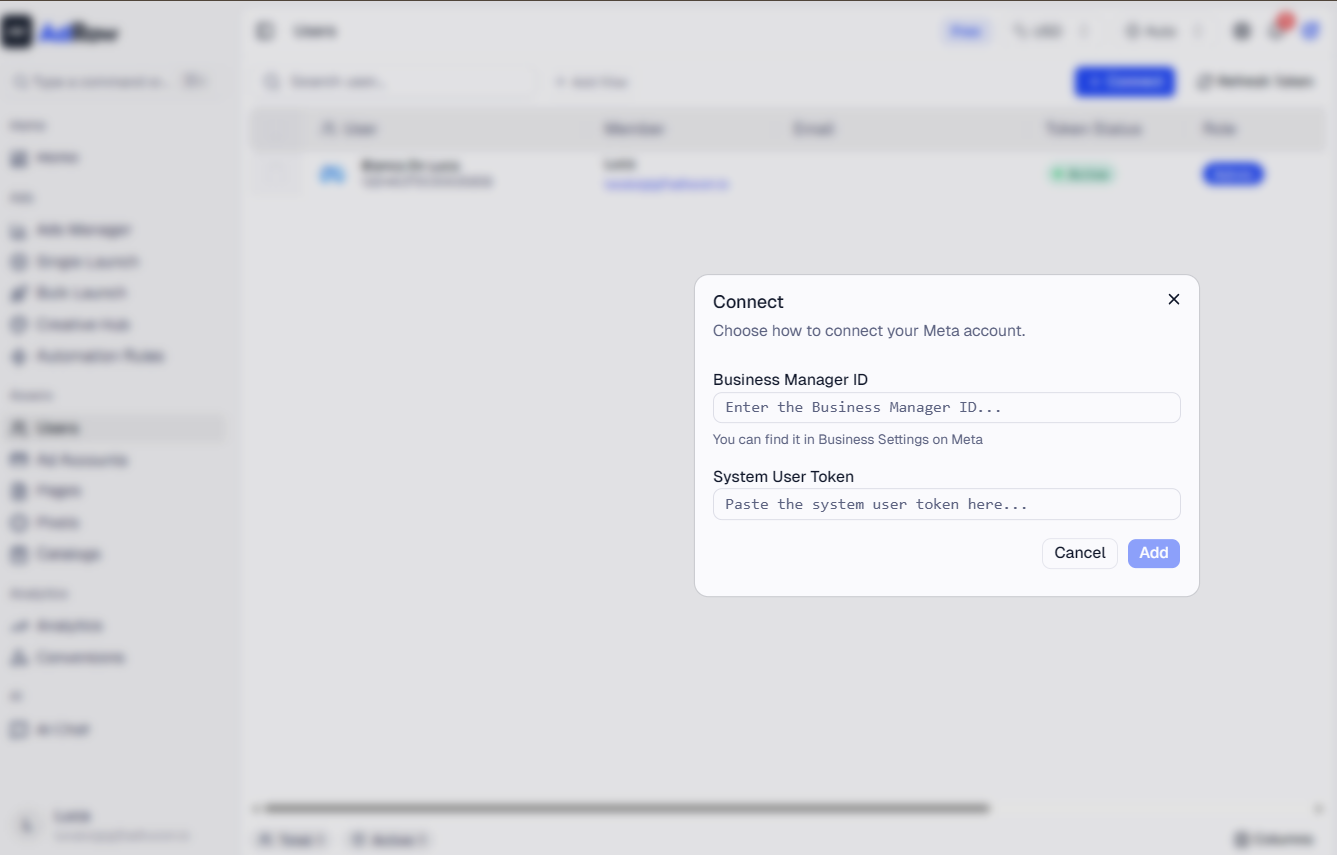
A system user is a special Meta account designed for programmatic access, not tied to any individual person. Created by pasting an access token and Business Manager ID in Wevion's Connect dialog. System user tokens do not expire unless explicitly revoked, making them the most reliable option for long-term operation.
Tip: Create a system user in Meta Business Manager under Business Settings > Users > System Users, generate a token with the required permissions, then paste it into Wevion.
Comparison
FactorPersonal UserSystem User | ||
Token expires? | Yes, ~60 days | No (unless revoked) |
Requires Facebook login? | Yes | No (paste token) |
Tied to a person? | Yes | No |
Setup complexity | Low | Medium |
Best for | Individual buyers | Agencies, long-term stability |
Token Health
Every Meta User has a token status indicating whether Wevion can currently use it. Token health is checked automatically and displayed in the table.
StatusIconMeaning | ||
Active | Green shield | Token is valid. Wevion can sync data and manage ads. |
Expired | Red shield | Token has expired or been revoked. You need to reconnect. |
Inactive | Yellow shield | Token was manually deactivated in Wevion. Stored but not used. |
When tokens are expired, a red warning banner appears at the top of the page with the exact count and a reconnect button. Expired tokens block data syncing for all resources tied to that token.
To fix an expired token: click Connect, complete the Meta login flow (or paste a new system user token), and Wevion automatically replaces the old token and resumes syncing. For detailed token lifecycle management, see Understanding Token Health and Reconnection.
What You Can See
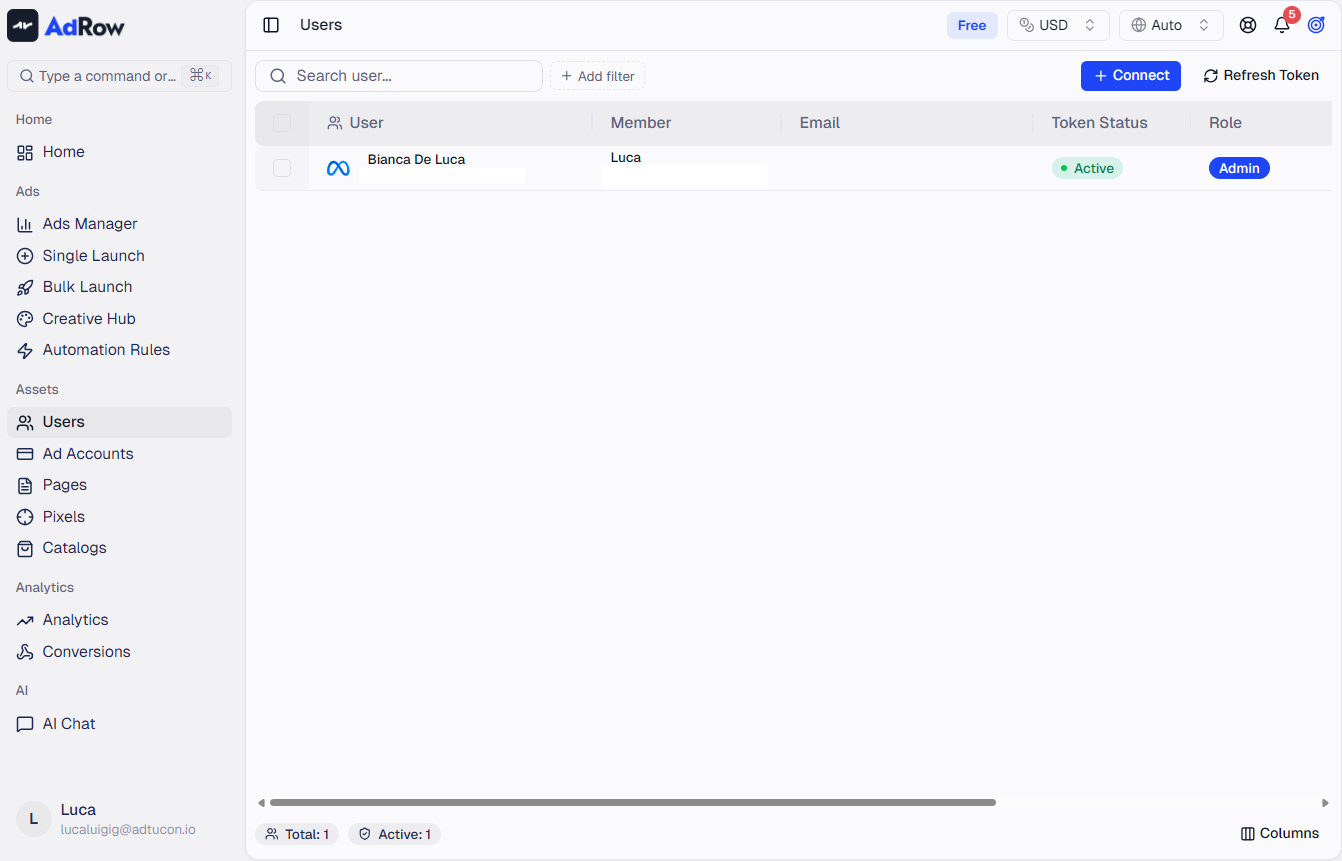
Navigate to the Meta Users page from the left sidebar. The table shows every connected Meta User with these columns:
ColumnWhat It Shows | |
User | Display name and numeric Meta user ID |
Associated email (system users show an auto-generated address) | |
Token Status | Active, Expired, or Inactive with color-coded icon |
Role | Business Manager role: Admin, Employee, or System User |
Business | Accessible Business Manager(s) — shows up to 2 with a "+N others" indicator |
Created | When the token was first added |
Updated | When the token was last refreshed |
Columns are resizable and toggleable. Sort by clicking any sortable header.
Team view: If your Wevion role is Owner or above, two extra columns appear — Member (the team member who owns the connection) and Team (visible to Super Admins). This lets you audit which team members have which tokens and spot expired connections quickly.
Filters: Click the filter icon to filter by Member Type (Personal/System), Token Status, Role, Business (searchable dropdown), Created At (date range), or Updated At (date range). The footer shows summary counts for Total, Active, and Expired tokens.
Actions: Use Connect to add new tokens, Sync (refresh icon) to re-validate all tokens and refresh permissions, or select users and click Remove to deactivate them. Deactivation is soft — tokens are marked Inactive but not deleted.
Frequently Asked Questions
What is the difference between a Meta User and an Wevion team member? A Meta User is a token-based connection to Meta. An Wevion team member is a person with an Wevion login. One team member can have multiple Meta Users connected. See Glossary — Key Terms and Metrics.
Why does my personal token keep expiring? Meta OAuth tokens last approximately 60 days. After expiration, reconnect via the Connect button. For uninterrupted access, consider a system user token instead.
I do not see all my Business Managers. Why? During the login flow, you choose which Business Managers to authorize. Click Connect again to authorize additional ones without affecting existing connections.
Does the Employee role limit what I can do in Wevion? Yes. Employees only see assets explicitly assigned to them in Meta Business Manager. Ask your BM administrator to assign more assets or upgrade your role to Admin.
Can I have both a personal and system user token for the same Business Manager? Yes. Wevion treats them as separate entries and automatically uses whichever valid token has access to each resource. This is a good redundancy strategy.
What happens to my campaigns if all tokens expire? Campaigns continue running on Meta's side, but Wevion cannot monitor, optimize, or modify them until you reconnect with a valid token.