Canceling Your Subscription
Last updated: April 18, 2026
If you need to stop your Wevion subscription, this article explains the cancellation process, what happens to your data, and your options.
Prerequisites
An active Wevion subscription (trial or paid)
Owner role (only workspace owners can cancel subscriptions)
How It Works
Canceling your subscription does not immediately remove your access. Instead:
During trial: Your subscription will end at the trial end date. After that, your account enters read-only mode.
Paid subscription: Your subscription remains active until the end of the current billing period. After that, your account enters read-only mode.
No partial refunds are issued for the remaining time in a billing period.
Cancellation Timeline
PhaseWhat Happens | |
Cancellation requested | Subscription marked as "cancels at end of period" |
End of billing period | Subscription becomes inactive |
After cancellation | Account enters read-only mode |
Data retention | All data preserved indefinitely |
Step-by-Step Guide
Canceling Your Subscription
Navigate to Billing in the left sidebar
Scroll to your current plan section
Click Cancel Plan
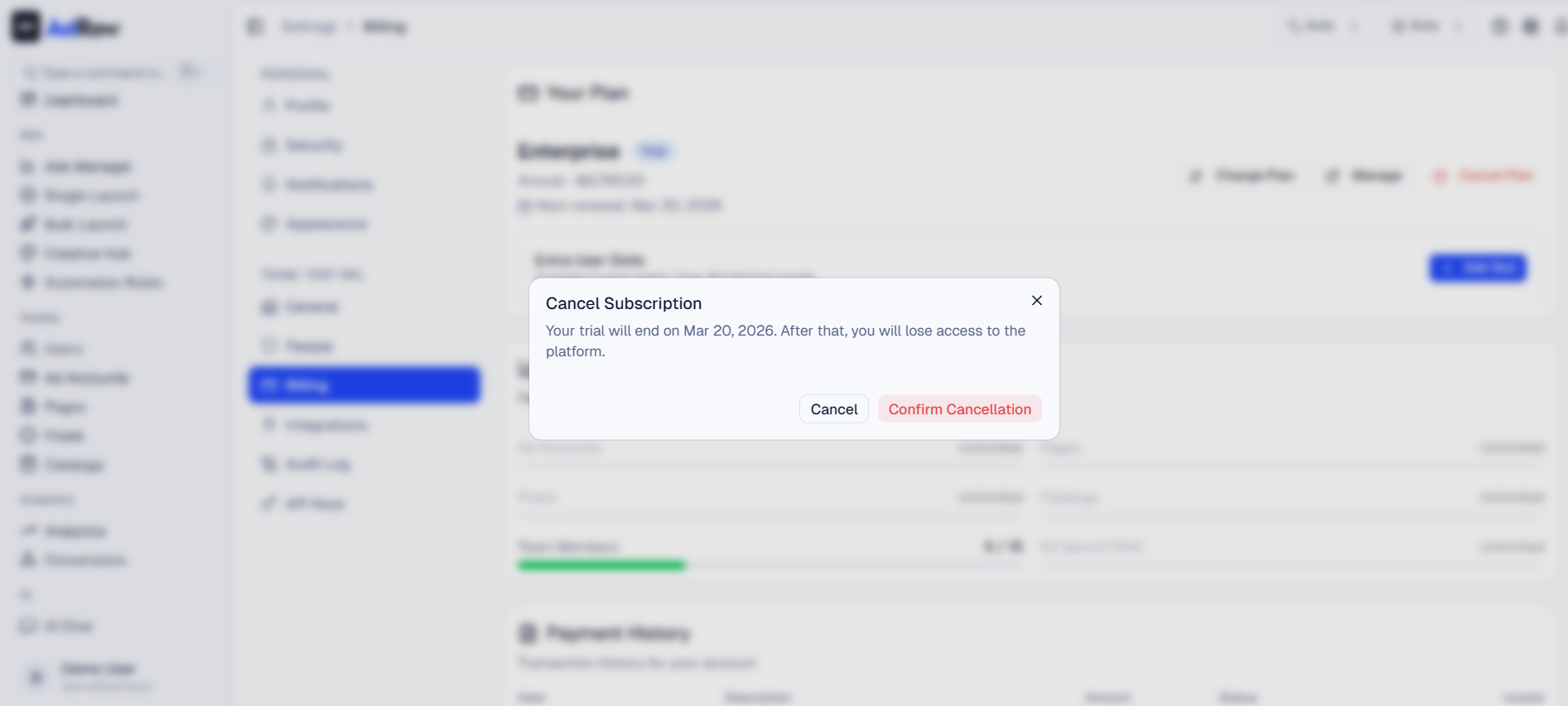
A confirmation dialog will appear:
During trial: "Your trial will end on [date]. After that, you will lose access to the platform."
Paid subscription: "Your subscription will remain active until [date]. After that, you will lose access to the platform."
Click Confirm Cancellation
Your subscription is now scheduled for cancellation
The billing page will show "Will cancel at the end of the current period"
What You Can Still Do After Canceling
During the remaining subscription period (before it actually expires):
Full access to all features
Create and manage campaigns
View reports and analytics
Manage team members
After the subscription expires:
View-only access to your data
Cannot create, edit, or publish campaigns
Cannot invite team members
Historical data is preserved
Resubscribing After Cancellation
If you change your mind after your subscription expires:
Navigate to Billing
Click Choose a Plan or equivalent
Select your preferred plan and billing interval
Complete the Stripe Checkout
Your account is immediately reactivated
All your data is intact — campaigns, ad accounts, team members, reports
Note: Resubscribing after a trial has ended does not restart the trial. You'll be charged immediately.
Options and Configuration
OptionDescription | |
Cancel during trial | Subscription ends at trial end date |
Cancel paid subscription | Access continues until end of billing period |
Resubscribe | Available at any time after cancellation |
Data retention | All data preserved indefinitely |
FAQ
Can I undo a cancellation? Yes. Before the cancellation takes effect at the end of your billing period, you can reactivate your subscription from the Billing page. Look for the "Reactivate" button.
Will I get a refund for the remaining time? No. Cancellation takes effect at the end of the current billing period. You retain access until then. No partial refunds are issued.
What happens to my team members? Team members lose access when the subscription expires. Their data is preserved. If you resubscribe, they can log in again.
What happens to my Meta connections? Meta tokens remain stored but become inactive when the subscription expires. If you resubscribe, you may need to reconnect expired tokens.
Can I export my data before canceling? Yes. Use the export features in Ads Manager and Reports to download your campaign data before canceling. See Exporting Campaign Reports.
Is there a cancellation fee? No. There are no cancellation fees or penalties.