Understanding Spend Caps
Last updated: April 18, 2026
Spend caps limit the total ad spend you can manage through Wevion based on your plan. This article explains how spend caps work, how they're calculated, and what happens when you approach or exceed your limit.
Prerequisites
An active Wevion subscription
At least one connected ad account with active campaigns
How It Works
Each Wevion plan includes a rolling 30-day ad spend cap — the maximum total ad spend across all your connected ad accounts within any rolling 30-day window.
PlanSpend Cap (30 days) | |
Starter | $5,000 |
Professional | $50,000 |
Enterprise | Custom |
How Spend Is Calculated
Wevion calculates your rolling 30-day spend by summing all ad spend from
campaign_daily_insightrecords across all team members' connected ad accountsThe calculation uses the most recent 30-day window (not calendar month)
Spend is aggregated in USD regardless of the account's billing currency (using daily exchange rates)
The spend percentage is:
(current spend / plan cap) × 100
Spend Thresholds
PercentageWhat Happens | |
0-99% | Normal operation — no restrictions |
100% | Approaching limit — you may receive a notification |
110%+ | Read-only mode — write operations are blocked |
Step-by-Step Guide
Checking Your Current Spend
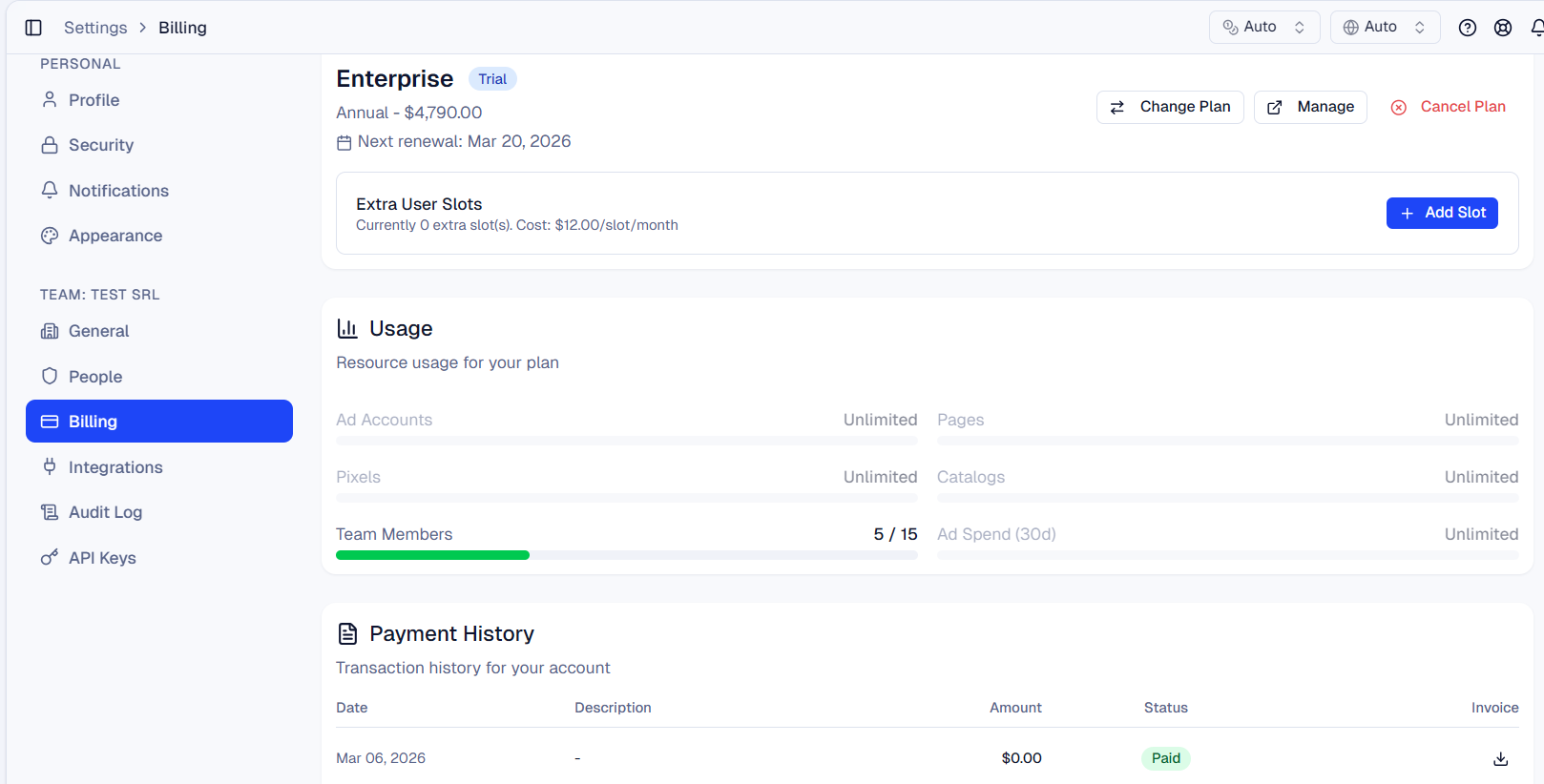
Navigate to Billing in the left sidebar
Scroll to the Usage section
Find the Ad Spend (30d) row
You'll see:
Your current 30-day spend (in USD)
Your plan's cap
A progress bar showing the percentage
The percentage value (e.g., "72%")
Understanding Read-Only Mode
When your rolling spend exceeds 110% of your plan cap, your account enters read-only mode. In this state:
What you CAN still do:
View your dashboard and reports
See campaign performance data
Download reports and exports
View payment history and invoices
Update your profile and settings
What you CANNOT do:
Create or edit campaigns
Publish new campaigns
Change budgets or targeting
Toggle campaign status (pause/resume)
Any action that writes data to Meta's API
Resolving a Spend Cap Breach
If your account is in read-only mode due to spend cap:
Option A: Wait — As older spend falls out of the 30-day window, your percentage will decrease naturally. Once you drop below 100%, write operations are re-enabled.
Option B: Upgrade your plan — Move to a plan with a higher spend cap:
Starter ($5K) → Professional ($50K)
Professional ($50K) → Enterprise (custom)
Navigate to Billing > Change Plan
The spend cap increase takes effect immediately
Option C: Disconnect high-spend accounts — If you have accounts you don't actively manage, disconnecting them reduces your aggregated spend. Note: this doesn't change the spend already counted in the 30-day window.
Setting Up Spend Cap Alerts
To get notified before you hit the limit:
Connect your Telegram account (see Connecting Telegram for Real-Time Alerts)
Navigate to Telegram > Preferences
Enable the Spend Cap Warning alert
You'll receive a Telegram notification when your spend approaches the cap
Options and Configuration
SettingDescription | |
Spend cap | Set by your plan — cannot be customized (except Enterprise) |
Read-only threshold | 110% of plan cap |
Spend currency | Always calculated in USD |
Rolling window | 30 days |
Alert channel | Telegram (enable "Spend Cap Warning") |
FAQ
Why is the spend cap in USD when I'm billed in EUR? Meta reports ad spend in the ad account's billing currency. Wevion converts all currencies to USD using daily exchange rates for consistent spend cap calculation.
Does the spend cap apply per ad account or total? Total. The cap covers the combined spend across all connected ad accounts for all team members in your workspace.
Can I increase the spend cap without changing plans? The spend cap is tied to your plan. To get a higher cap, you need to upgrade. Enterprise plans offer custom caps — contact support to discuss your needs.
How often is the spend percentage updated? The spend percentage is calculated from the usage_snapshot table, which is updated periodically by the system's background jobs. On the billing page, a fresh calculation is performed each time you load the page.
What's the difference between Meta's spending limit and Wevion's spend cap? Meta's spending limit is set within Facebook Ads Manager and controls how much a single ad account can spend. Wevion's spend cap is a platform-level limit on total managed spend across all accounts and is tied to your subscription plan.
Does pausing campaigns reduce my rolling spend? Not immediately. The rolling 30-day window includes all historical spend. Pausing campaigns prevents new spend from accumulating, so over time your rolling total will decrease as older days fall out of the window.